Today I would like to share some photo editing tricks we use. My Mommie is far, far, far from a photography or Photoshop expert. Sometimes the photos are okay right from the camera, but most times we do some editing. Here are some of the things my Mommie does to fix my photos.
This is what the photo looked like straight out of the camera (we just resized it because straight from the camera, the image is 3888 X 2592 pixels). My Mommie uses a Canon DSLR camera,
model XTi.
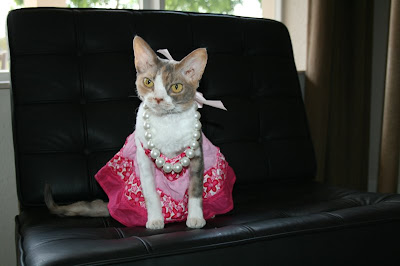
The first thing we will do is crop the picture, so you do not see weird background things. I think that's a little better already!
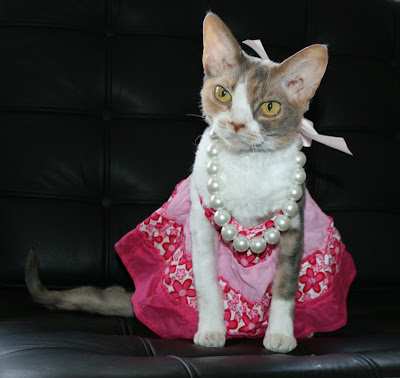
I see that my ear is a little bit waxy. Let's just erase the dirts in my ear using the clone stamp. Since I do not enjoy having my ears cleaned, this is much easier.
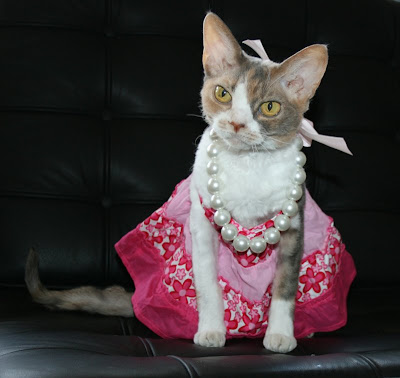
This photo seems a little dark, so next we will play with the lightness and darkness and contrast.
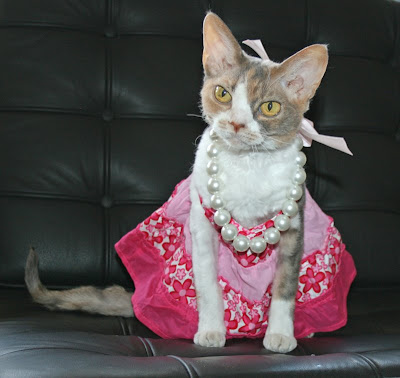
Some of my pink tones seem to be washed out. Next we will adjust the color levels just a little bit.
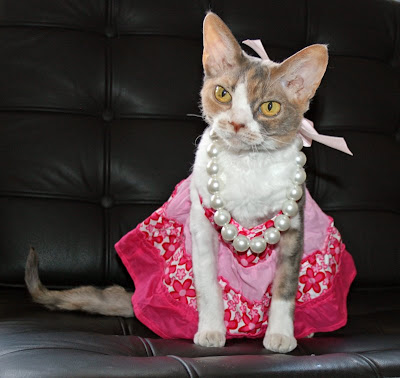
And finally, just for fun, let's apply an Orton Effect! My friends
Gandalf and Grayson taught me about this. We only use this effect once in a while, but it is fun to play around with. Here is a link to a site that shows you
how to apply the Orton Effect using Photoshop Elements. And here is the finished product!
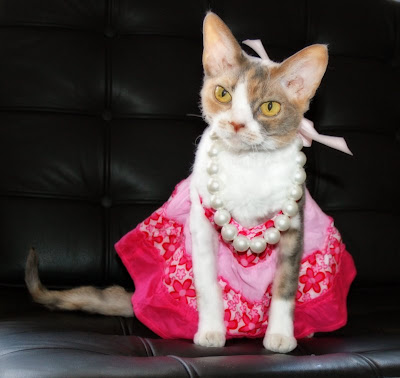
Just for comparison, you can see the original vs. the edited version of the photo. You can click on the picture to see it real big. What sorts of editing to you do on your photos?


Photo Editing Magic









 Take this picture for instance. It was very Wrong to show this picture without some fancy editing first. All the famous models get their photos retouched!
 Do I look much better now? I instantly lost about 3 pounds! And I got some fancy new furs to cover the bald parts of my tummy.